Stop losing documents in shared drives

Searchable, secure document management with a built-in editor, dark mode, full-text search, and role-based access — without the complexity of SharePoint.

30-day free trial  ·  No credit card required  ·  Set up in 15 minutes
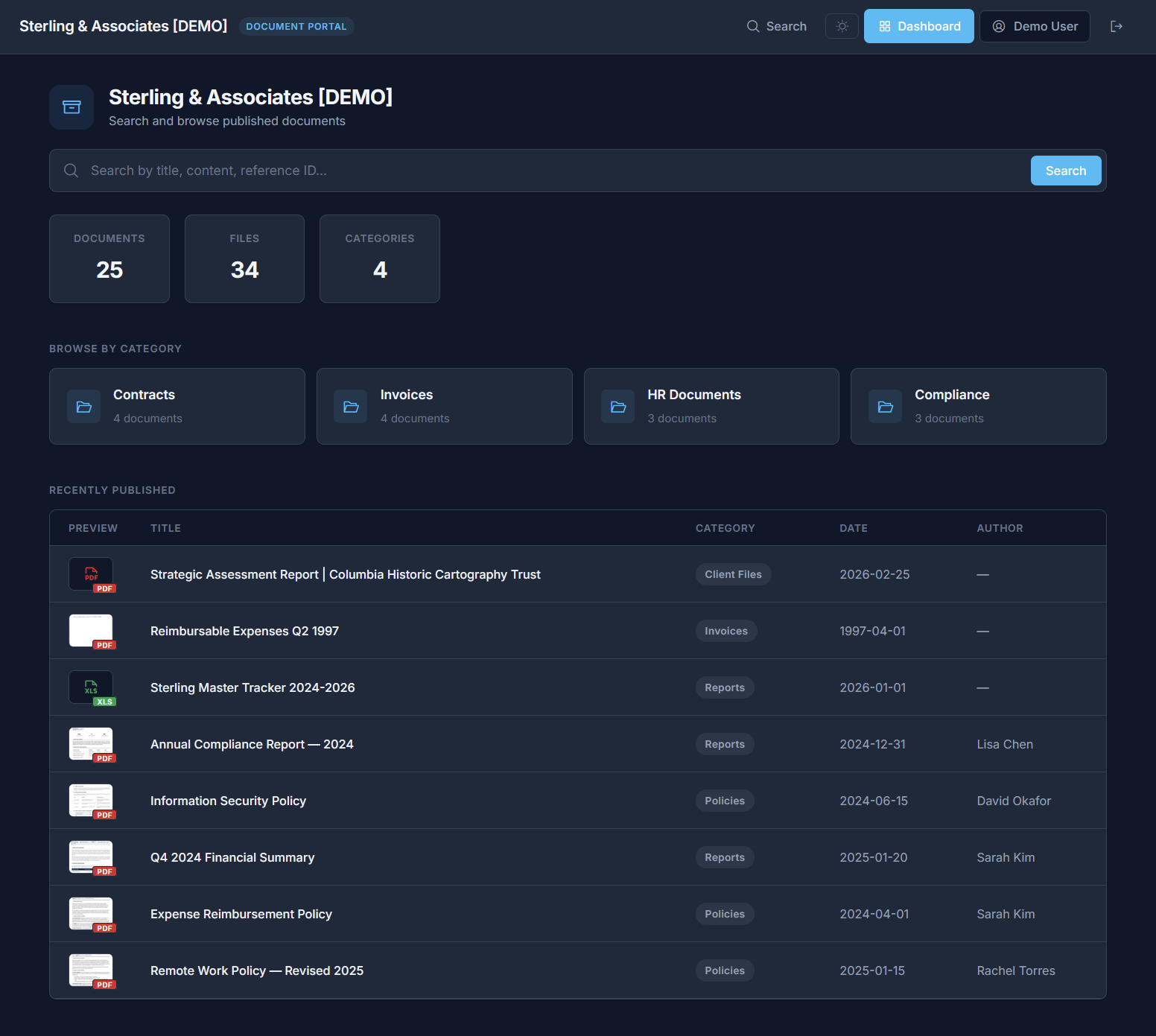
Document Portal — Dark Mode
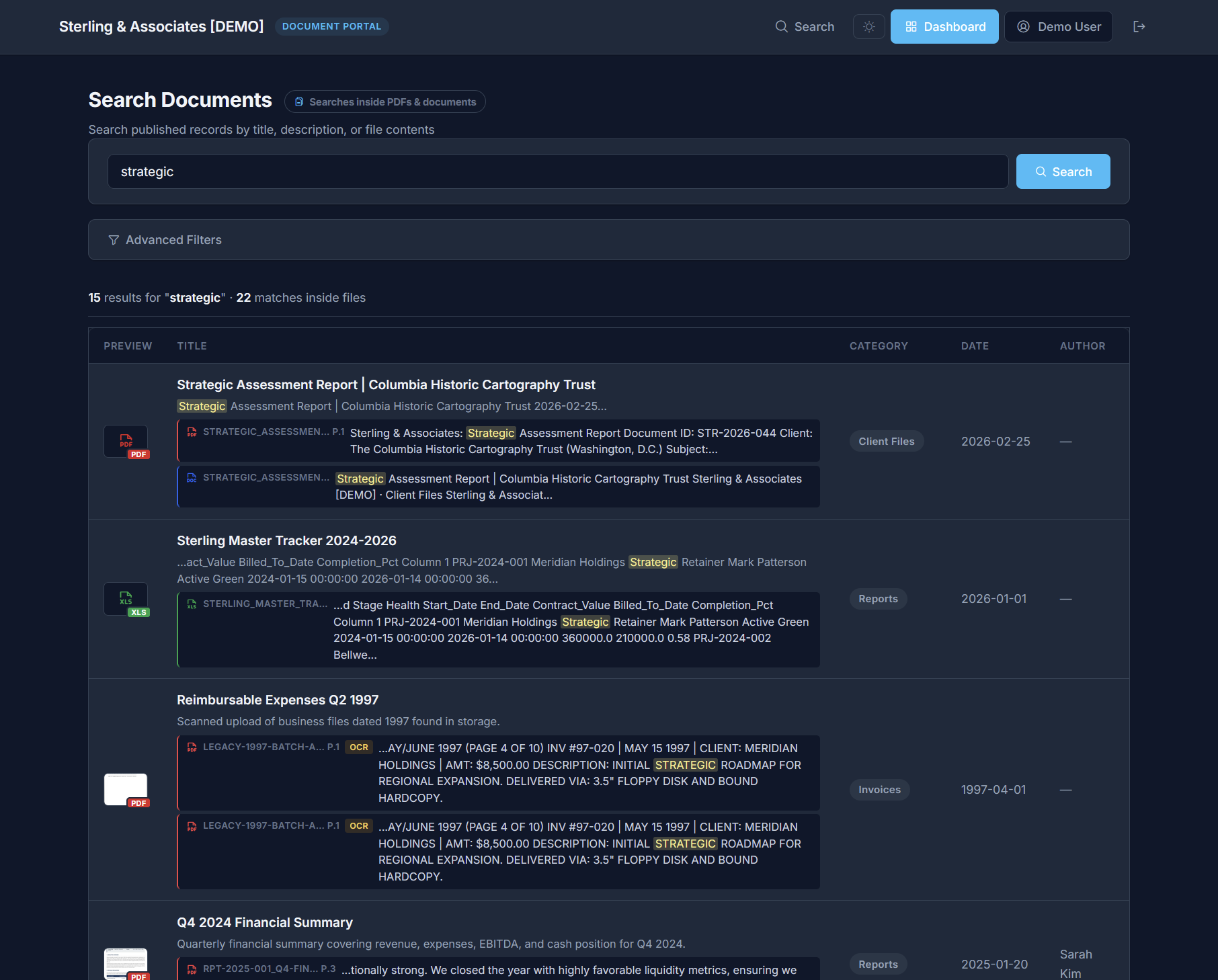
"Where's that contract?" shouldn't take 20 minutes. Full-text search finds any document in seconds.
Shared drives become graveyards. Files go in, but nobody can find them. Custom metadata changes that.
"Who accessed this file?" When an auditor asks, you need an answer — not a shrug.
See what organized looks like

One place for every document your team touches

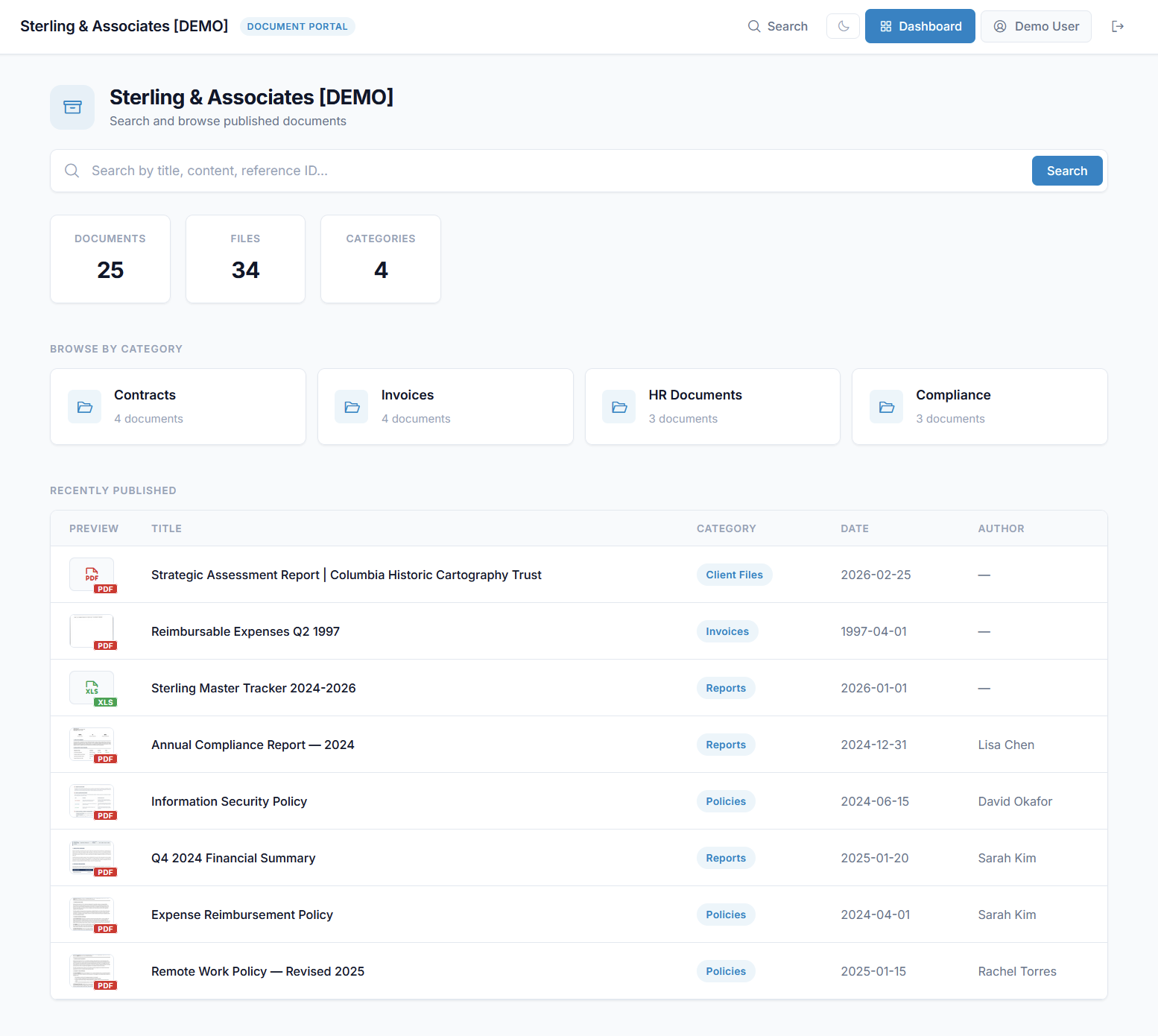
Contracts, invoices, HR files, compliance records — organized by category, tagged with custom metadata, and searchable by anyone you authorize. Import from CSV, create in the built-in editor, or upload files directly.

Try the Live Demo
Search Documents — Dark Mode
Features

Everything you need. Nothing you don't.

Full-Text Search

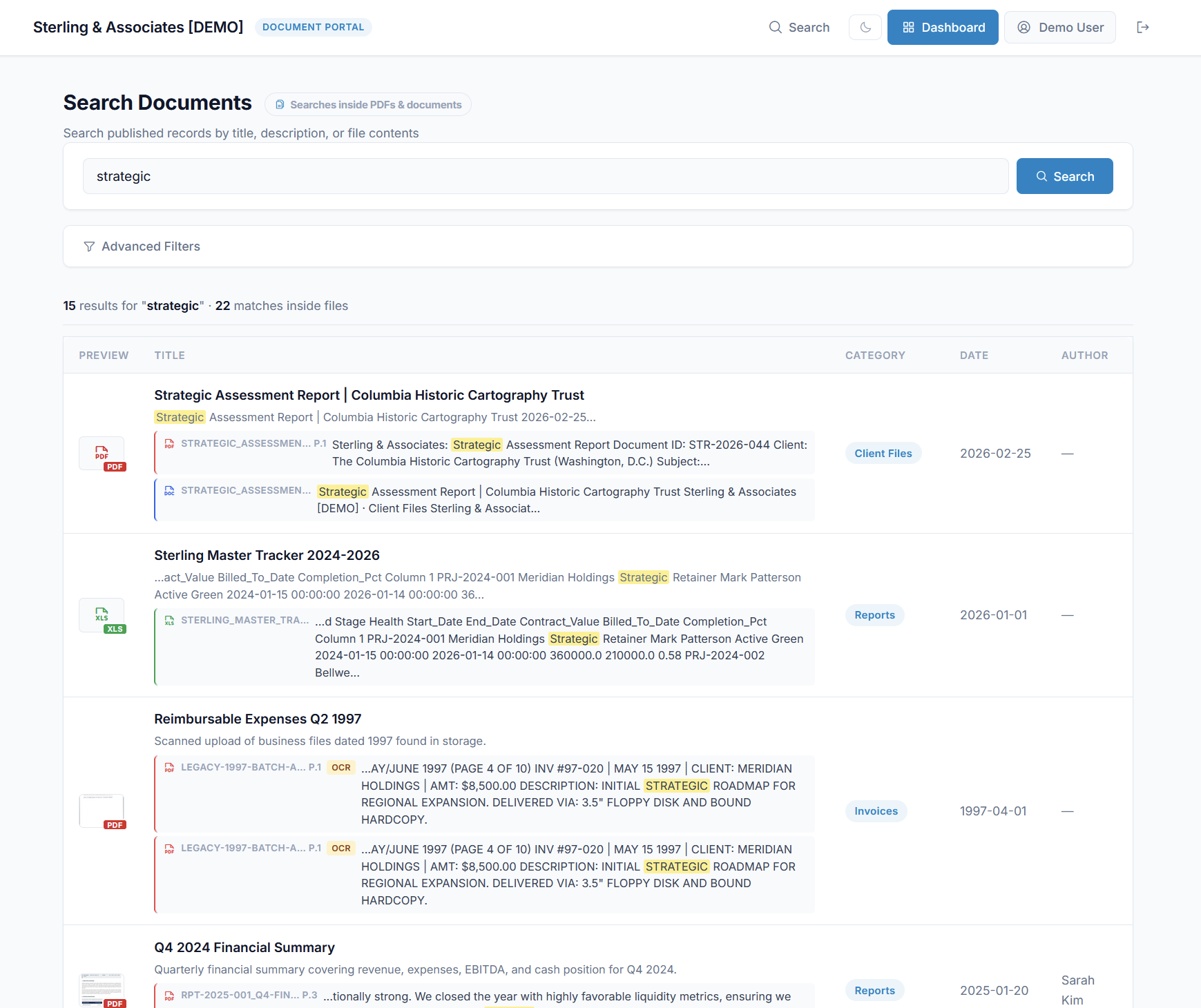
Find any document in seconds. Search across titles, descriptions, tags, and extracted text from PDFs and scanned documents.

Light & Dark Mode

Work the way you prefer. Every page — dashboard, editor, portal — supports light and dark themes with a one-click toggle. Your preference follows you everywhere.

CSV & Excel Import

Migrating from another system? Upload a CSV or XLSX file and map columns to your fields. Bring thousands of records in at once — no manual re-entry.

Role-Based Access

Control who sees what. Admins manage settings. Editors create and update. Viewers search and download — nothing more.

Built-in Document Editor

Create policies, memos, and procedures right inside the platform. Paginated pages, formatting toolbar, and autosave — no Word or Google Docs needed.

OCR & Text Extraction

Upload a scanned PDF and search the text inside it. Our extraction pipeline handles PDFs, Word docs, Excel files, and images automatically.

Built-in document viewer

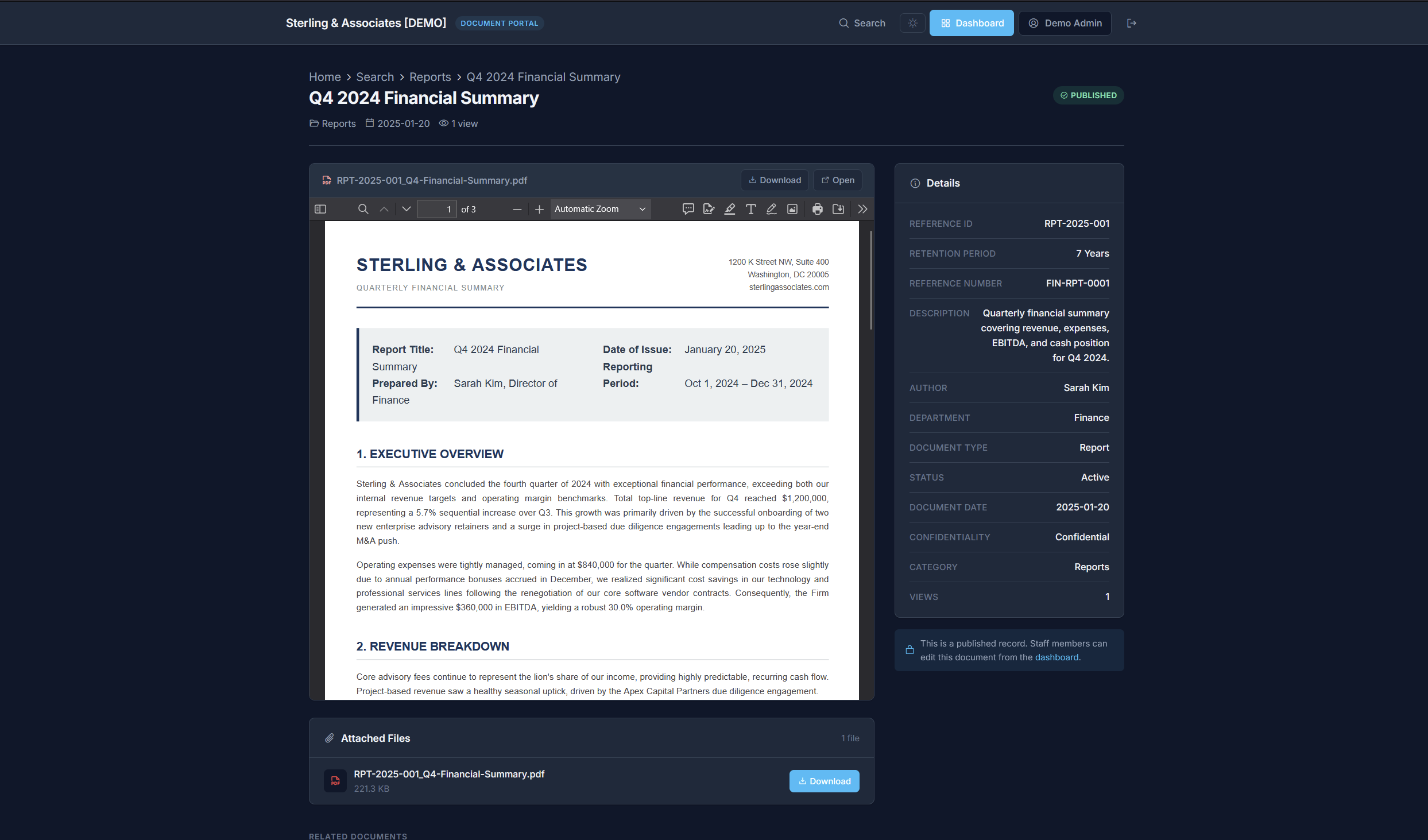
Read PDFs without leaving the page

Every document opens in a full-featured viewer with page navigation, zoom, and download. Custom metadata, retention periods, and audit details are right there in the sidebar — no clicks wasted.

See a live document
PDF Document Viewer with metadata sidebar
Spreadsheet-style editing

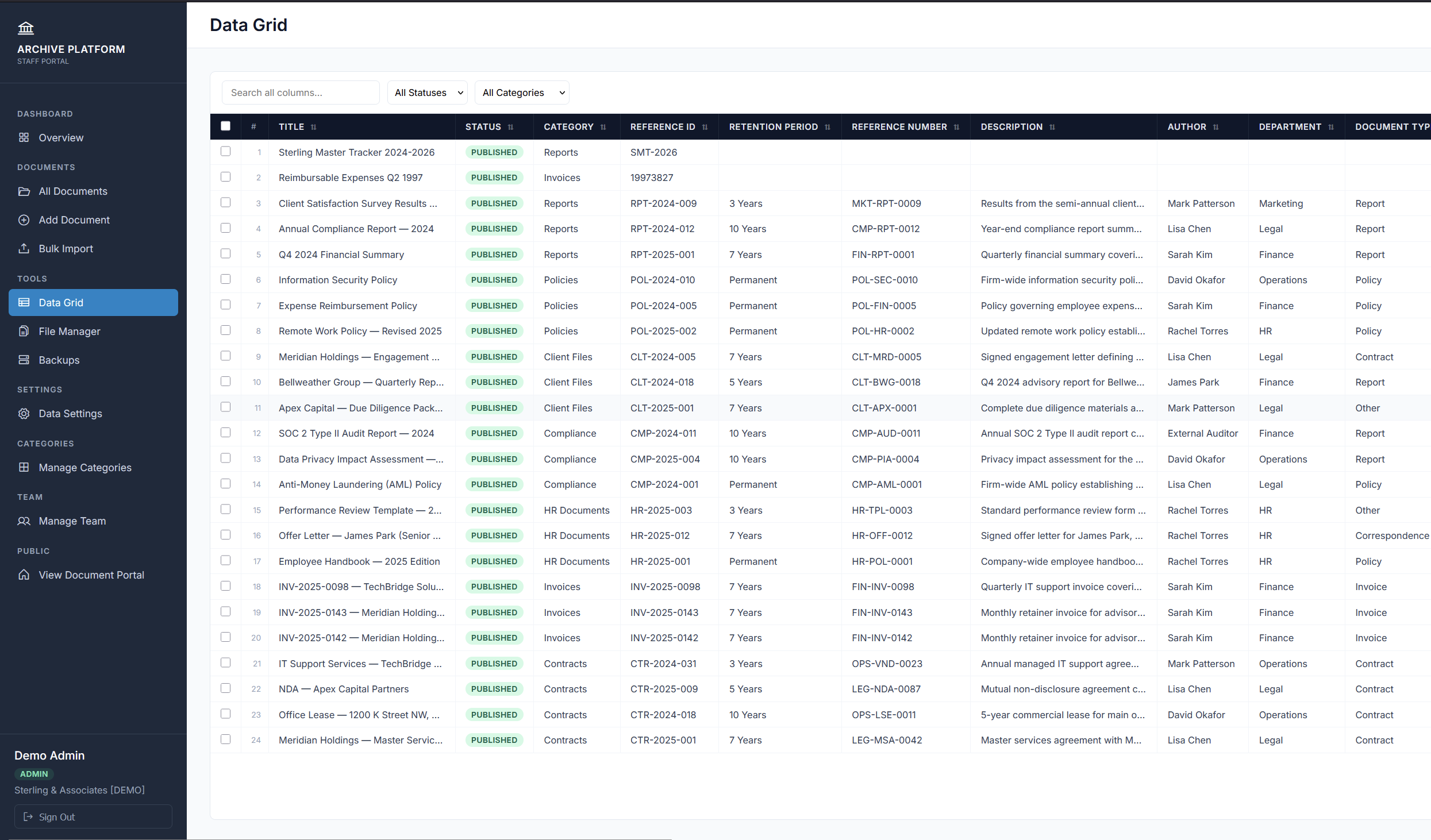
See everything at once in the Data Grid

All your documents, metadata, and statuses in one scrollable view. Sort by any column, filter by category or status, and spot gaps in your records instantly. Think of it as Excel for your document library.

Try the Data Grid
Data Grid — spreadsheet view of all documents
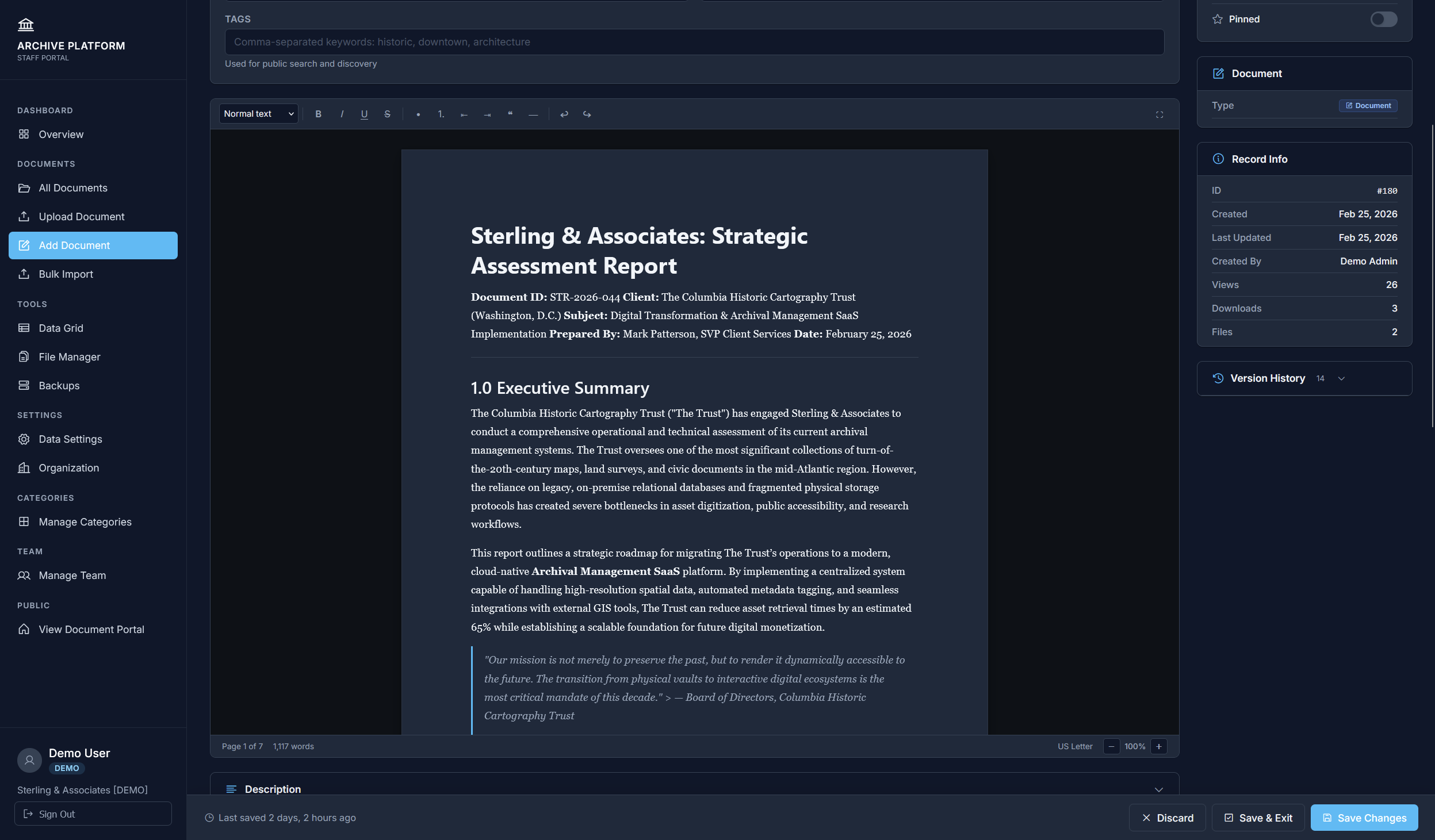
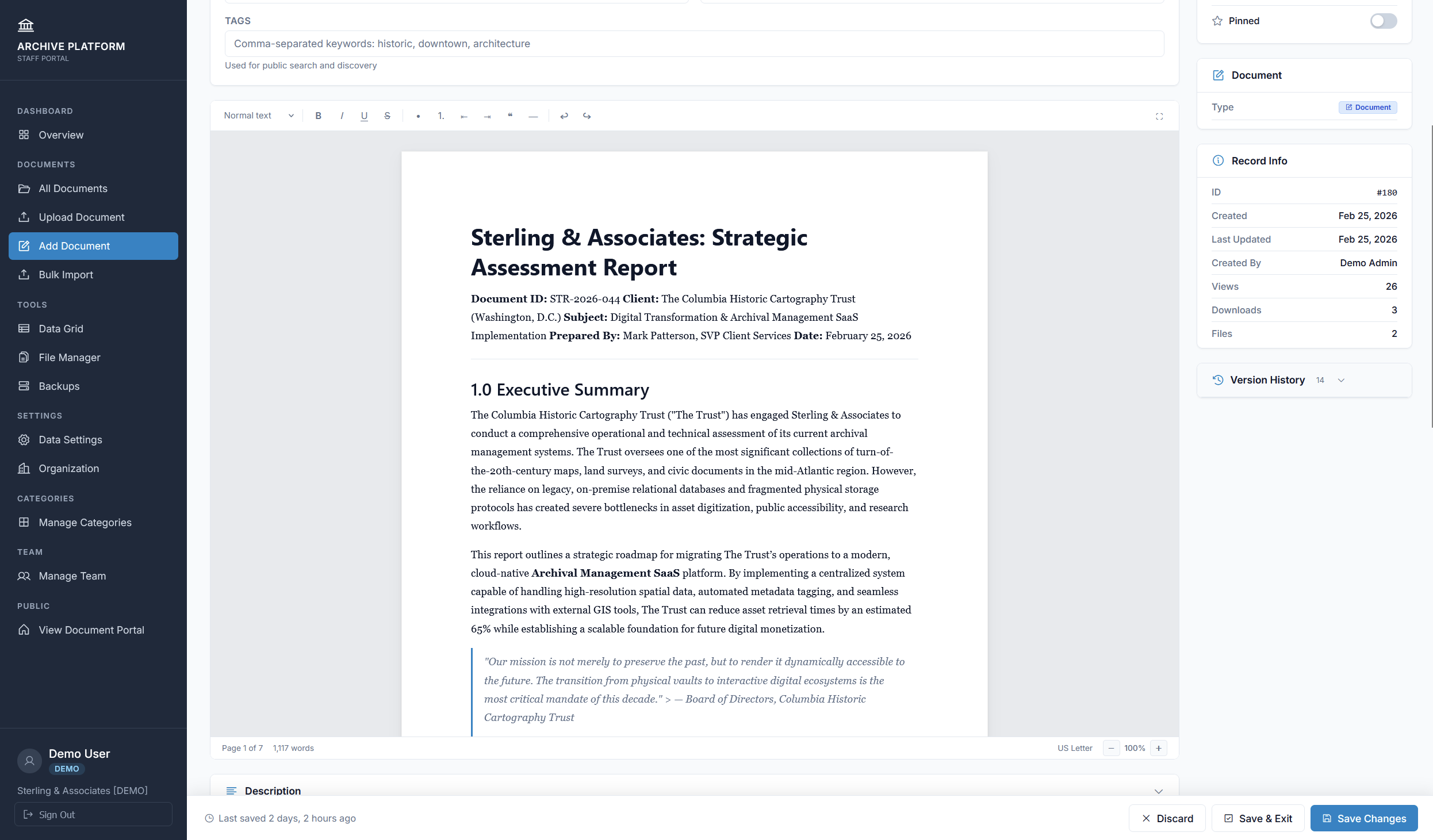
Built-in document editor

Create documents right inside the platform

Write memos, policies, and procedures without leaving your workspace. The paginated editor gives you real US Letter pages with automatic reflow, formatting tools, and 30-second autosave — so nothing gets lost. Available on Professional and Institutional plans.

Try the Editor
Document Editor — Dark Mode
How It Works

Up and running in 15 minutes

1

Sign Up & Configure

Create your account, name your workspace, and choose the metadata fields that match your documents.

2

Upload, Import & Create

Drag and drop files, import records from CSV or Excel, or write documents in the built-in editor. Assign categories, fill in metadata, and let OCR handle the rest.

3

Your Team Finds It

Invite your team. Editors add documents. Viewers search and download. Every interaction is tracked.

Who It's For

Built for teams that take documents seriously

Law Firms & Legal Teams

Contracts, case files, discovery documents — all searchable, version-controlled, and access-restricted. Know who downloaded what, and when.

Compliance & Finance

Retention policies keep you audit-ready. Custom fields track the metadata regulators care about. Export anything, anytime.

Operations & HR

Employee records, vendor agreements, policies and procedures — organized by category, searchable by anyone you authorize.

Private by Default Every page is behind login. No public access, ever.
Encrypted Storage Files in private cloud buckets. SSL on every connection.
Full Audit Trail Download logs, version history, and user activity tracking.
Your Data, Your Export Full CSV + file export anytime. No vendor lock-in.
Pricing

Simple pricing. No surprises.

Every plan includes a 30-day free trial. No credit card required.

Foundation
$49/mo
$490/year when billed annually

  • 500 documents
  • 25 GB storage
  • 5 users included
  • Full-text search + OCR
  • Dark mode
  • Data grid
  • CSV & Excel import
  • Custom fields
  • Document editor
Start Free Trial
Institutional
$199/mo
$1,990/year when billed annually

  • 25,000 documents
  • 1 TB storage
  • 50 users included
  • Custom domain
  • User groups & permissions
  • White-label branding
  • Priority support
  • Everything in Professional
Start Free Trial

Need more users? Add extra viewers ($5/mo) or editors ($10/mo) to any plan.

See it before you sign up

Explore a fully loaded demo workspace with sample contracts, invoices, and HR documents. You'll be logged in automatically — just click and browse.

Private portal behind login Read-only demo account No signup required
FAQ

Frequently Asked Questions

How is this different from Google Drive or Dropbox?
Google Drive and Dropbox are file storage. Archive Platform is document management — with custom metadata fields, full-text search across document contents, a built-in document editor, dark mode, CSV import, and role-based access control. You don't just store files — you organize, search, and manage them.
Can I import documents from our current system?
Yes. Upload files directly, use CSV or Excel import with automatic column mapping to bring in records with metadata, or create new documents in the built-in editor. We'll help with data migration on Professional and Institutional plans.
Who can see our documents?
Only people you invite. Every business workspace is private — all pages are behind login. There is no public access to your documents, and search engines are blocked at every level.
What file types are supported?
All common types: PDFs, Word documents, Excel, images (JPG, PNG, TIFF), audio, video, and ZIP archives. PDFs, Word docs, Excel files, and images with text are automatically processed for full-text search. You can also create documents directly in the built-in editor on Professional plans and above.
Do we own our data?
100%. Export your complete document library at any time — CSV metadata plus all original files. No lock-in, ever.
What happens after the free trial?
After 30 days, choose a plan to continue. Your data is preserved. If you don't subscribe, your account is suspended (not deleted) — you can reactivate anytime.
Is there a setup fee?
No. Self-service signup on every plan. Institutional customers get a complimentary onboarding call to help with configuration and data migration.

Ready to get organized?

Start your 30-day free trial today. No credit card. No sales call. Just sign up, configure your workspace, and start uploading.

Start Free Trial